What a VPN Actually Does (In Plain Words)
A VPN is no longer a "tech-only" tool. Today, people use VPNs for everyday safety, remote work, stable internet access, and privacy. The good news is: setting up a VPN is much easier than most people think.
This guide explains what a VPN really does, when you need it, and how to set it up correctly—whether you're a normal internet user or running a small business.
When you connect to the internet without a VPN, your data travels openly through your internet provider. This means your location, IP address, and browsing activity are visible.
A VPN creates a private path between your device and the internet. Your data is encrypted (scrambled), sent through a secure server, and shown as coming from a different location. So even if someone tries to watch your traffic, they can't understand or track it.
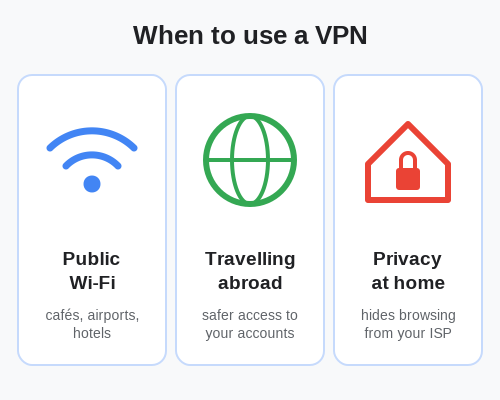
When You Should Use a VPN
You don't need a VPN all the time, but it's very useful in these situations:
For businesses, VPNs are almost essential.
VPN Setup for Normal (Personal) Use
Best Use Cases
Commonly Used VPN Apps for Personal Use
(These are examples people commonly choose, not recommendations)
These apps are designed to work with one click.
How to Set Up a VPN on Phone or Laptop (Easy Way)
This is how most people should do it.
That's it. No manual settings needed.
Most apps automatically choose the best server, best protocol, and safe encryption.
Important Settings to Turn On (Most People Miss These)
Inside the VPN app, check for:
These settings improve safety without slowing things down.
VPN Setup for Business or Work Use
Businesses use VPNs differently than normal users. The goal is controlled access, not just privacy.
When a Business Needs a VPN
VPN Types Businesses Usually Use
App-Based Business VPNs
Easy to manage, cloud-based, good for small teams
Router-Level VPNs
All devices are protected automatically
Private Server VPNs
Used by companies with IT teams
VPN Providers Commonly Used for Business Environments
These names are often seen in business use cases:
Again, these are examples—not promotions.
How to Set Up a VPN for a Small Business (Step-by-Step)
Ask:
- How many users?
- Which devices?
- Remote or office-only?
- Future growth?
This avoids changing VPNs later.
Before installing:
- Remove old VPN software
- Update operating systems
- Check router compatibility if needed
Old VPNs running in background can cause problems.
Install VPN apps on:
- Office computers
- Employee laptops
- Work phones or tablets
Make it mandatory for remote access.
Business VPNs allow:
- User groups
- Permission levels
- Time-based access
- Activity monitoring (internal only)
This keeps control with the business owner.
After setup:
- Connect VPN
- Access work tools
- Upload/download files
- Check speed and stability
Small speed drop is normal. Big drops are not.
Manual VPN Setup (Only If Needed)
Most people never need this, but sometimes it's required for:
Manual setup usually involves:
- Server address
- Username and password
- Protocol (IKEv2, WireGuard, OpenVPN)
This is common in companies, schools, or IT-managed systems.
How to Check If Your VPN Is Working
Simple checks anyone can do to verify your VPN is functioning properly:
If websites show your original location, VPN isn't active. Try reconnecting or checking your app settings.
Common VPN Mistakes People Make
Avoid these common pitfalls to get the most out of your VPN:
Remember: A VPN is one layer of protection, not total security. Use it as part of a comprehensive security approach.
How to Choose a Trustworthy VPN Provider
Not all VPN services are equal. Before you subscribe, check these points:
- Clear privacy policy: look for a provider that explains exactly what data it keeps, ideally with an independent audit of its no-logs claims.
- Strong security: modern protocols such as WireGuard or OpenVPN, and a kill switch that blocks traffic if the VPN drops.
- Apps for your devices: phone, computer, and router support where needed.
- Transparent pricing and refunds: avoid unclear auto-renewals.
Be cautious with free VPNs: some limit speed and data, and some make money by collecting or selling user data.
Final Advice (Realistic, Not Marketing)
For normal users: app-based VPNs are enough
For businesses: use structured VPN access
Don't overcomplicate setup
Focus on stability, not just speed
Always test before relying on it
A VPN should make your internet safer and smoother, not stressful