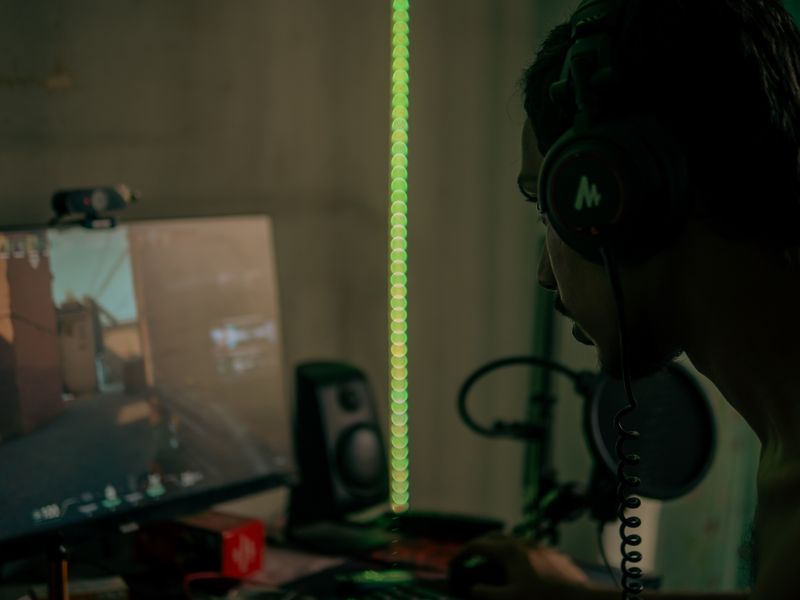
Focused gamer with headset playing a video game on a desktop computer indoors
Whether you want to enjoy streams as a viewer or start broadcasting yourself, a few habits make Twitch far more enjoyable. This guide covers both sides, plus the safety settings everyone should know.
Step 1: Set Up Your Account
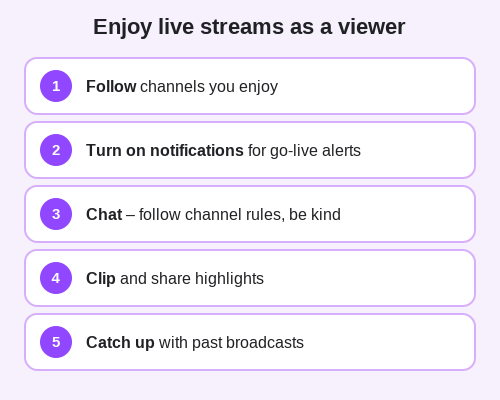
Live streams are social, not just something to watch
- Sign up on the official website or app with a username that doesn't reveal personal details like your full name or location.
- Turn on two-step verification in your security settings to protect your account, which is required for some streaming features.
- Check the age rules: Twitch's terms set a minimum age, which is 13 in most countries, and parents should review the platform before younger teens use it.
- Adjust privacy settings, such as who can send you private messages (whispers).
Step 2: Get the Most Out of Watching
- Browse by category: find streams by game or topic, and sort by viewers or recently started.
- Try smaller channels: streams with fewer viewers often have friendlier, more personal chats where the streamer can respond to you.
- Follow channels you enjoy and turn on notifications so you know when they go live.
- Watch past broadcasts and clips: many channels save their streams for a while, and clips capture the best moments.
- Adjust quality in the player settings if streams buffer, especially on mobile data.
Step 3: Chat and Support Streamers
Chat is the heart of Twitch. Read each channel's rules, usually in the "About" panel below the stream, and follow them. Be kind, stay on topic, avoid spamming, and don't post spoilers. Moderators keep chat friendly and can time out or ban people who break the rules.
- Free support: follow, chat, share clips, and recommend channels you like. Viewers with an Amazon Prime membership may be able to use a free monthly channel subscription through Prime Gaming, where available.
- Paid support: subscriptions, gift subs, and Bits (a virtual currency for cheering) support streamers directly.
- Set a budget for paid support, and only spend what you can afford.
Lurking is welcome
You don't have to chat. Many viewers watch quietly, known as lurking, and still count as viewers who help a channel grow. Say hello when you feel comfortable.
Step 4: Start Streaming
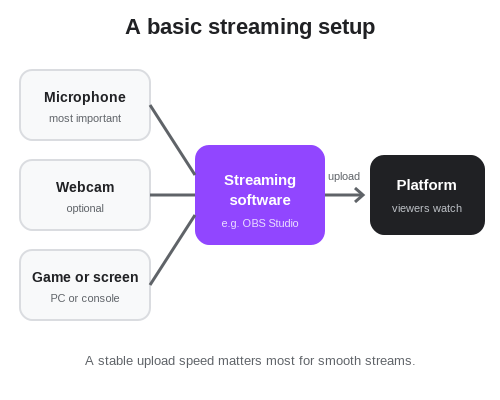
You can start simple and upgrade later
- Prioritise audio: viewers forgive average video but not poor sound. A decent USB microphone is often the best first upgrade.
- Check your upload speed: a stable upload connection matters most. Start with 720p at a moderate bitrate and increase only if your connection can handle it.
- Use a wired connection for stability.
- Set a clear title and category so viewers know what you're doing.
- Do a test stream to check audio levels, game capture, and overlays before going public.
Step 5: Build a Community Over Time
- Stream on a consistent schedule and post it on your channel, so viewers know when to find you.
- Talk to your chat, even when nobody is there yet. Narrating what you're doing makes streams engaging for new arrivals.
- Choose games or topics wisely: extremely popular categories are crowded; smaller ones make it easier to be discovered.
- Share clips and highlights on other social platforms to bring in new viewers.
- Network with other streamers of similar size through raids and collaborations.
- Be patient: growth is usually slow at first. Focus on enjoying the stream and building genuine connections.
If you're streaming games, our guide on fixing game lag can help keep your gameplay and stream smooth.
Use Safety and Moderation Tools
Twitch includes tools to keep chat safe for both viewers and streamers. Streamers can turn on automatic moderation to filter offensive messages, set chat rules, require accounts to be verified or followed for a while before chatting, and appoint trusted moderators. Viewers can block and report users and filter chat content in their settings.
Protect your privacy on stream
Never show personal information on stream, such as your address, school, workplace, documents, or anything outside your window that reveals your location. Be careful with notifications and emails appearing on a shared screen. Never share login details with anyone offering to "grow" your channel, and avoid buying followers or viewers, which breaks Twitch's rules and can get you banned.
Keep Streaming Healthy and Enjoyable
Whether you watch or stream, it is easy to lose track of time on live platforms. Set limits that suit you, take regular breaks, and remember that streams will often be available to watch later. If you stream, plan rest days and avoid promising a schedule you cannot keep; burnout is common among new streamers. Treat streaming as a hobby first, and let any growth come naturally from content you enjoy making.
Viewers can take the same approach: follow a manageable number of channels, mute notifications at times when you need to focus or sleep, and use the platform's settings to hide content or chats you find overwhelming. Parents of teenagers who use Twitch should talk about privacy, spending, and what to do if someone in chat makes them uncomfortable, and review account settings together.
Good habits from the start make Twitch a positive, sustainable part of your week, whether you are watching your favourite streamers or building a channel of your own.
Final Thoughts
Using Twitch effectively means treating it as a community. As a viewer, follow channels you enjoy, join chats respectfully, and support creators in ways that suit your budget. As a streamer, start with good audio and a stable connection, stream consistently, talk to your viewers, and use moderation tools from day one. Most of all, protect your privacy and have fun.