
Teacher using laptop for virtual lesson with female student on screen in classroom setting
This guide shows you where genuinely free certificates can be found, how to judge whether one is worth your time, and how to present it so it actually helps your job search or studies.
Free Course vs. Free Certificate: Know the Difference
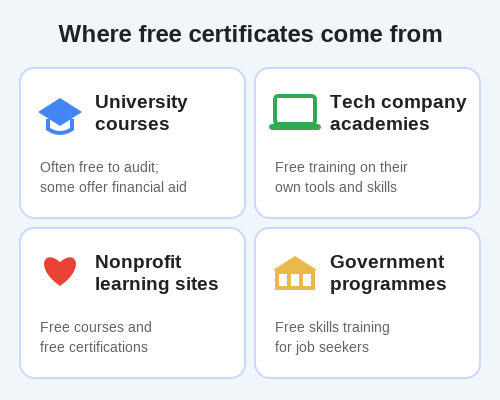
The main sources of free certificates
Before you sign up, check which of these models a course uses:
- Fully free: the lessons, assessments, and certificate are all free.
- Free to audit: you can study for free, but graded work and the certificate cost money.
- Free with financial aid: the certificate normally costs money, but you can apply to have the fee reduced or waived.
- Free trial: everything is free for a limited time, and then a subscription starts. Set a reminder to cancel if you don't want to pay.
Good to know
Course platforms change their pricing often. Always read the "certificate" or "pricing" section of a course page before you start, so you aren't surprised at the end.
Where to Find Free Certificates
1
University Course Platforms
Platforms such as Coursera and edX host courses from well-known universities. Most can be audited for free, and Coursera offers financial aid for many courses if you explain your situation in a short application. These certificates carry a university name, which can be useful on a CV.
2
Tech Company Academies
Large technology and software companies run free training on their own products and on in-demand skills. Microsoft Learn, for example, offers free learning paths, and HubSpot Academy provides free marketing and sales courses with certificates. These are especially useful if the tool appears in job adverts you're interested in.
3
Nonprofit Learning Sites
Nonprofits like freeCodeCamp offer free certifications in programming after you complete practical projects. Saylor Academy and Kaggle Learn also provide free certificates in subjects like business and data science. Because they're project-based, they show real ability rather than just attendance.
4
Government and Local Programmes
Many governments, libraries, and job centres offer free digital skills training, sometimes with nationally recognised qualifications. Search for your country's official skills or employment service, or ask at your local library.
How to Tell If a Certificate Is Worth It
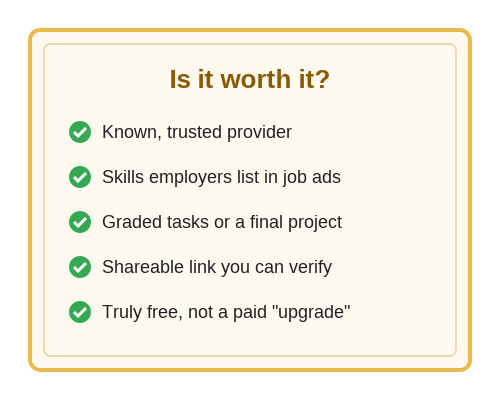
Five quick checks before you enrol
- Is the provider known and trusted in your field?
- Do job adverts mention these skills? Search a few listings for the role you want and compare.
- Does it include graded tasks or a final project? Employers value proof that you can do the work.
- Can someone verify it through a link or credential ID?
- Is it really free, or will you be asked to pay at the end?
Tips for Actually Finishing
Most people who start an online course never finish it. These habits help you be one of the ones who do:
- Choose one course at a time instead of signing up for five.
- Block out fixed study slots in your week, such as three 45-minute sessions.
- Take notes in your own words and practise straight away.
- Join the course discussion forum or find a study partner.
- Note the deadline for graded work and any financial aid decision.
How to Show Your Certificate
- On your CV: add a "Certifications" section with the course name, provider, and year.
- On LinkedIn: use the "Licences & certifications" section and include the credential link.
- In interviews: talk about what you built or learned, not just the certificate itself.
Watch out for scams
Be wary of sites that promise "instant" certificates without any learning, ask for payment details up front for a "free" course, or claim their certificate guarantees a job. Stick to providers you can research and verify.
Free Certificate Ideas by Career Goal
Choose certificates that match the jobs you're targeting. Here are well-known free options by field (always confirm current pricing on the provider's site):
Web and IT
- freeCodeCamp certifications, such as Responsive Web Design and JavaScript
- Microsoft Learn paths for Azure, Microsoft 365, and security basics
- Free introductory networking and cybersecurity courses from vendor academies
Business and marketing
- HubSpot Academy: inbound, content, email, and social media marketing
- Google Skillshop: Google Ads and Google Analytics certifications
- Saylor Academy business and management courses
Data and analysis
- Kaggle Learn: Python, Pandas, SQL, and machine learning basics
- freeCodeCamp Data Analysis with Python
- University statistics courses on audit, with financial aid if you need the certificate
How to Apply for Financial Aid on Paid Certificates
Some platforms, Coursera being the best-known example, let learners who can't afford a certificate apply for financial aid. The process is usually simple, but a thoughtful application helps:
- Find the link: on the course page, look for "Financial aid available" next to the enrol button.
- Explain your situation honestly: briefly describe your income, studies, or employment status and why the fee is a barrier.
- Explain your goal: say how the course connects to a specific job, career change, or skill you need. Specific answers ("I'm applying for junior data analyst roles that ask for SQL") are stronger than general ones.
- Plan for the wait: decisions often take around two weeks, so apply before you need the graded assignments. You can usually audit the course while you wait.
- Apply per course: aid is normally approved one course at a time, so don't enrol in several at once.
A Realistic 4-Week Plan for Your First Certificate
Most beginner certificates need roughly 10–30 hours of work. With about 45 minutes a day, this plan gets many people over the finish line:
1
Week 1: Choose and Set Up
Compare two or three courses using the checklist above, enrol in one, read the syllabus, and put your study slots in your calendar. Finish the first module before the week ends to build momentum.
2
Weeks 2–3: Learn and Practise
Work through the lessons, but stop after each one to practise: write the code, build the spreadsheet, or draft the marketing email yourself. Keep a single page of notes with key terms you might be quizzed on.
3
Week 4: Assess and Share
Complete quizzes and the final project, review anything you got wrong, and earn the certificate. The same day, add it to your CV and LinkedIn and write a short post about one thing you learned. Sharing reinforces the learning and makes it visible to recruiters.
Final Thoughts
Free certificates can open doors, especially when they come from respected providers and include real projects. Pick courses that match the job or skill you're aiming for, finish them properly, and make sure people can see and verify what you've achieved. The skills matter more than the paper, but together they make a strong case.